Parental Control Lock Actions
These blocks change Device Control rules or request work on the registered device. The toolbox uses the name Parental Control Lock Actions. Configure the underlying device feature and its permissions first; a program does not bypass ownership, trust, self-control, or subscription checks.
Screen time and profiles

Choose a saved app-restriction profile. App rules are merged; saved browser and screen-time settings are applied. Review the profile before running or reusing an imported workspace.
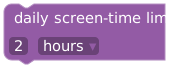
Set the daily limit in hours or minutes.
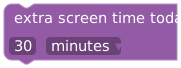
Add the supplied hours/minutes to today's allowance. This is separate from changing the recurring daily limit.

Set a usage window with 24-hour HH:mm start and end times.

Removes that time-window restriction. Other rules can still apply.
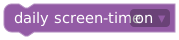
Enables or disables the daily screen-time rule.

Changes Device Control's Strict Mode. This is separate from Bot Coach Hardcore Mode.
App, website, and system rules

Changes the browser porn-filter rule.
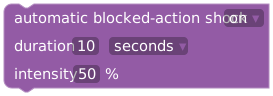
Set on/off, duration/unit, and intensity for automatic blocked-action shocks. Device and wearer limits apply.

Changes Secure Folder blocking.

Changes Settings app blocking.
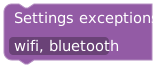
Supply allowed Settings areas, such as wifi, bluetooth.
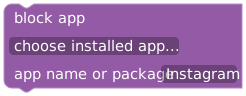
Use the installed-app picker or supply an app name/package.
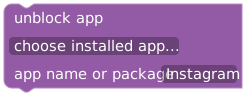
Removes the chosen app block; other applicable restrictions can remain.
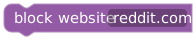
Supply a domain, such as example.com.

Removes the specified website block.
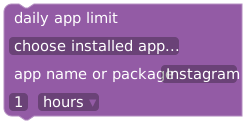
Choose the app and its limit in hours/minutes.
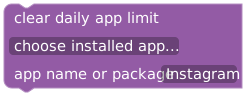
Removes the selected app's daily limit.
Use the installed-app picker when possible to avoid confusing similarly named apps. Recheck app and profile selections after importing blocks from another setup.
Self-control locks and bypass requests

Makes self-control settings unremovable for a duration in minutes, hours, or days.

Locks those settings through the current lock session.
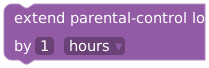
Extends an active timer-based self-control lock.

Restores the rules saved before the current self-control lock. It is not a general undo for all PLE actions.

Sends an approval request to the Android device. It does not automatically start a bypass.
Content Shield

Choose A — Browser, B — AI apps, or C — Family VPN. Requires an active Content Shield subscription.
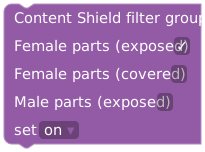
Select female exposed, female covered, and/or male exposed body-part groups and turn them on/off. Faces are separate.
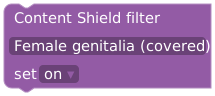
Turn one selected category on/off.
At least one Content Shield filter must remain enabled. See Content Shield for mode setup and device behavior.
Example: notify before allowance expires
In Events, add when screen-time remaining falls below with duration 15 minutes. Put send notification in its body and target the wearer. This tests the threshold path without changing any restrictions. If you later add extra screen time today, remember that it changes today's allowance and can affect future threshold crossings.