Events
For changes shared across selected wearers, see group-variable value and connection-count events. These are separate from the event for a coach changing an exposed workspace variable.
Events are the entry points of a program. Put the actions to run inside the event block. A block that listens for a task, game, calendar, or device event does not enable that feature or cause the event itself.
Use Lock Data → event variable inside the event to read its details. The dropdown changes with the enclosing event. Filter by title, ID, or event value when only some occurrences should count.
Community-chat gag status
When community-chat gag changes runs when the gag status changes on an eligible keyholder-controlled lock, not a self lock. Its community-chat gag enabled? event variable is a Boolean snapshot of the new state. Compare it with true to distinguish enabling from disabling. The event does not itself enable the gag.
Enabling, disabling, and timed expiry produce events, normally delivered by a 15-second background sweep. Repeating the same status does not produce another event. These handlers cannot open dialogs. If a handler changes the gag itself, that change takes effect but does not trigger another round of gag-status handlers. Relationship changes and lock endings clear the gag and pending events rather than running old handlers against a new relationship.
Use Lock Data → is → community-chat gag enabled when you need this lock's current execution state instead of the event snapshot. Draft tests simulate actions and expiry; select the status event explicitly to test its handler. See gag actions and the Code example.
Reading event variables
Place Lock Data → event variable inside an event, then select a field from its dropdown. The tables below use the same labels as the editor. These are read-only values for that occurrence; use set variable to copy one into a workspace variable when you need it later. Pass it as a parameter when calling a reusable function.
integer means a whole number; number can include a fractional part; string is Text in Manage variables; boolean is true or false. varies preserves the changed variable’s type. Date text and numeric timestamps are different values: check each field’s units before connecting it to a date/time input.
For a Boolean event field in an if condition, use compare values → event variable = true. For text, use a comparison or text contains. Connect numeric event fields to supported calculations, or use create text with to include them in a message.
Common event variables
Common event variables
Most events offer these fields in addition to the values listed beside their block. The ordinary wheel-result, wheel-text-action, and dice-roll events expose only their own listed fields.
| Event variable | Type | Description |
|---|---|---|
| event name | string | Name of the source event, such as task.completed or lock.time_changed. |
| event timestamp (Unix seconds) | integer | Time of the source event in Unix seconds. Connect directly to seconds-based date/time blocks. |
| triggered by extension? | boolean | True when the source is an extension or a recognized built-in module. |
| triggered by keyholder? | boolean | True when the event reports a direct keyholder action. |
| triggered by wearer? | boolean | True when the event reports a direct wearer action. |
| triggering extension | string | Extension slug or built-in module ID, such as wheel, dice, task, or public_voting. Empty for direct participant changes. |
Fields describe the source event, not necessarily the current lock state. A field listed in the dropdown can still be absent from a particular payload: text generally becomes empty, numbers become 0, and Booleans become false. Buttons, schedules, and custom events do not necessarily supply the same metadata as webhook events. Do not treat a missing timestamp as a real date or assume a false actor flag identifies another actor.
Group variable events
Use when group variable [score] changes to handle one exact key, or when a group variable changes for all enabled group variables. Both provide the variable name, previous/new values, connected count, and source username/user ID/lock ID. Program changes identify the originating lock's wearer; management edits identify the owner. No local value copies are needed. These handlers run in the background and cannot open dialogs. See group-variable examples and event semantics.
Buttons and schedules
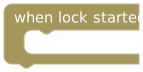
Runs for the lock-start event. Editing or saving an already running program does not start the lock again.
Event variables
Uses the common event variables. No additional event-specific fields.
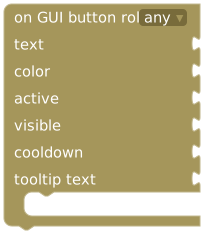
Set role, text, color, active, visible, cooldown, and optional tooltip text. Put actions inside its body.
Event variables
Uses the common event variables. No additional event-specific fields.
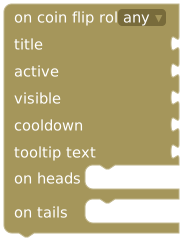
Set role, title, active, visible, cooldown, and tooltip. The server selects a fair heads/tails result; only that outcome's branch runs.
Event variables
Uses the common event variables. No additional event-specific fields.
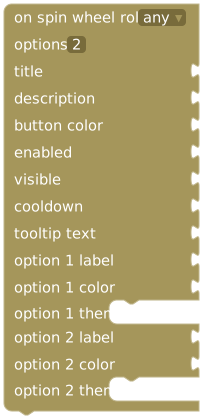
Set role, title, description, button color, enabled, visible, cooldown, and tooltip. Add 2–12 options, each with a label, color, and action branch.
Event variables
Uses the common event variables. No additional event-specific fields.

Repeats in minutes, hours, or days, with a minimum interval of 10 minutes. Choose the first run at lock start or after the delay.
Event variables
Uses the common event variables. No additional event-specific fields.
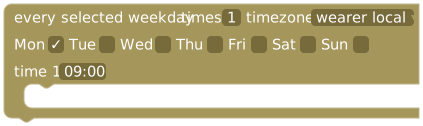
Select one or more weekdays, 1–12 times in HH:mm format, and wearer-local time or UTC. Select all days for a daily schedule.
Event variables
Uses the common event variables. No additional event-specific fields.
For controls, visible determines whether the control appears; active/enabled determines whether it can be used while shown. An unconnected visible input defaults to true. Role limits use to wearer, keyholder, or either participant. Connect a Duration block for cooldown; zero means no cooldown. A disabled wearer-controls preview cannot execute the program.
Weekly schedules are checked once per minute. Duplicate times run once. Wearer-local time uses the wearer or lock timezone, not the editor's timezone. During daylight-saving changes, missing times are skipped and repeated times run once. After downtime, one overdue run is processed before the next future time is scheduled.
Lock, voting, and pillory events
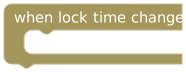
When lock time changes, including task/Jigsaw rewards and PLE actions. A time change made inside this trigger is saved but does not trigger the same event again.
Event variables
The following values plus the common event variables.
| Event variable | Type | Description |
|---|---|---|
| time changed (seconds) | integer | Applied lock-time change in seconds; positive adds time and negative removes time. |
| before release date | string | Release date/time before the change, as date text. This is not a numeric Unix timestamp. |
| after release date | string | Release date/time after the change, as date text. This is not a numeric Unix timestamp. |
| requested delta (seconds) | integer | Requested lock-time change in seconds, before limits or other adjustments. |
| applied delta (seconds) | integer | Actual lock-time change in seconds after adjustments. May differ from the requested amount, including zero. |
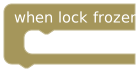
When the lock enters its frozen state.
Event variables
The following values plus the common event variables.
| Event variable | Type | Description |
|---|---|---|
| before frozen state | boolean | Whether the lock was frozen before this change. |
| after frozen state | boolean | Whether the lock is frozen after this change. |
| freeze duration (seconds) | integer | Freeze duration supplied by the event, in seconds. Zero alone does not distinguish an indefinite freeze from an omitted duration. |
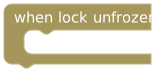
When the lock leaves its frozen state.
Event variables
The following values plus the common event variables.
| Event variable | Type | Description |
|---|---|---|
| before frozen state | boolean | Whether the lock was frozen before this change. |
| after frozen state | boolean | Whether the lock is frozen after this change. |
| freeze duration (seconds) | integer | Freeze duration supplied by the event, in seconds. Zero alone does not distinguish an indefinite freeze from an omitted duration. |
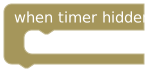
When remaining-time visibility is hidden.
Event variables
The following values plus the common event variables.
| Event variable | Type | Description |
|---|---|---|
| timer visible before | boolean | Whether the timer was visible before the change. |
| timer visible after | boolean | Whether the timer is visible after the change. |
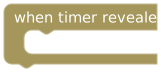
When remaining-time visibility is restored.
Event variables
The following values plus the common event variables.
| Event variable | Type | Description |
|---|---|---|
| timer visible before | boolean | Whether the timer was visible before the change. |
| timer visible after | boolean | Whether the timer is visible after the change. |
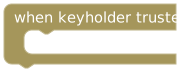
When the lock's keyholder is trusted.
Event variables
Uses the common event variables. No additional event-specific fields.
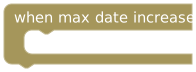
When the maximum end date increases. Read the old/new dates and delta from the event.
Event variables
The following values plus the common event variables.
| Event variable | Type | Description |
|---|---|---|
| before max release date | string | Previous maximum release date/time, as date text; empty when not supplied. |
| new maximum date | string | New maximum release date/time, as date text. |
| new maximum timestamp | integer | New maximum release date as a Unix timestamp in milliseconds. Divide by 1000 before using seconds-based date/time blocks. |
| delta seconds | integer | Change to the maximum release date, in seconds. |
When a share-link action changes lock time.
Event variables
The following values plus the common event variables.
| Event variable | Type | Description |
|---|---|---|
| voter username | string | Voter name supplied with the event; defaults to Visitor when no name is supplied. |
| time changed (seconds) | integer | Applied share-link time change in seconds; positive adds time and negative removes it. |
After an add, remove, or random Public Voting vote is saved, even if a limit prevents a time change. Requested and applied seconds can differ. Use the public-voting control blocks to change voting settings; configuration changes do not emit this vote event.
Event variables
The following values plus the common event variables.
| Event variable | Type | Description |
|---|---|---|
| vote type (add / remove / random) | string | Vote choice: add, remove, or random. |
| total votes received | integer | Total votes reported after this vote. |
| requested time change (seconds) | integer | Requested lock-time change in seconds, before limits or other adjustments. |
| applied time change (seconds) | integer | Actual lock-time change in seconds after adjustments. May differ from the requested amount, including zero. |
| cards changed | integer | Cards changed by this vote. For pillory this represents cards added. |
After a pillory vote is saved, including public-link votes. Read the current vote's time, total votes, accumulated vote time, and cards added.
Event variables
The following values plus the common event variables.
| Event variable | Type | Description |
|---|---|---|
| time added by this vote (seconds) | integer | Lock time added by the current vote, in seconds, when supplied. |
| total time added by votes (seconds) | integer | Accumulated lock time added during pillory, in seconds. |
| total votes received | integer | Total votes reported after this vote. |
| cards added | integer | Cards changed by this vote. For pillory this represents cards added. |
When pillory starts.
Event variables
The following values plus the common event variables.
| Event variable | Type | Description |
|---|---|---|
| pillory reason | string | Reason supplied when pillory was started. |
| pillory duration (seconds) | integer | Pillory voting duration supplied by the event, in seconds. |
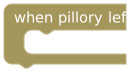
When pillory ends. Useful for recording its outcome.
Event variables
The following values plus the common event variables.
| Event variable | Type | Description |
|---|---|---|
| time added during pillory | integer | Accumulated lock time added during pillory, in seconds. |
| current vote time added | integer | Lock time added by the current vote, in seconds, when supplied. |
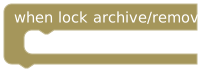
When the archive/removal event is emitted. Treat this as a lifecycle notification; an ended session is not an active lock for further lock actions.
Event variables
The following values plus the common event variables.
| Event variable | Type | Description |
|---|---|---|
| archive source | string | Source reported for the archive or removal operation. |
| archive actor role | string | Role of the actor responsible for the archive or removal. |
| archive lock id | string | ID of the affected lock. |
Tasks and verification
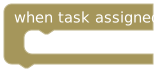
After task assignment. Store the task run id to recognize this specific assignment later.
Event variables
The following values plus the common event variables.
| Event variable | Type | Description |
|---|---|---|
| task run id | string | ID of this particular task assignment. Save it to match later completion or review events. |
| task id | string | ID of the task definition. Reassigning the same task can produce a different task run ID. |
| task status | string | Status reported for this assignment or quiz result. |
| task points | number | Task points supplied with this event; this is not the lock’s total task-point balance. |
| task title | string | Title or task text supplied with the assignment. |
| task description | string | Additional task instructions; empty when none are supplied. |
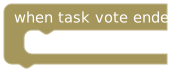
When the task verification vote ends. Inspect approval/status before treating it as success.
Event variables
The following values plus the common event variables.
| Event variable | Type | Description |
|---|---|---|
| task submission timestamp (Unix seconds) | integer | Original task-photo submission time in Unix seconds, or the recorded completion or failure time for the task’s outcome when no photo submission exists; 0 if no relevant timestamp is available. Photo submissions keep their original time even when reviewed later. |
| task run id | string | ID of this particular task assignment. Save it to match later completion or review events. |
| task id | string | ID of the task definition. Reassigning the same task can produce a different task run ID. |
| task status | string | Status reported for this assignment or quiz result. |
| task points | number | Task points supplied with this event; this is not the lock’s total task-point balance. |
| task title | string | Title or task text supplied with the assignment. |
| task description | string | Additional task instructions; empty when none are supplied. |
| photo verification approved? | boolean | Whether the task-photo review was approved. False does not by itself explain why it was rejected. |
| approval type (keyholder / community / auto / bot) | string | Review source, such as keyholder, community, auto, or bot, when supplied. |
| rejection reason | string | Reason supplied for rejection; empty when no rejection reason is supplied. |
| calendar event id | string | ID of the linked calendar entry. For task review, empty when the task is not linked to a calendar entry. |
| calendar occurrence date | string | Date identifying this calendar occurrence, including one occurrence of a recurring entry. Empty for tasks without a calendar link. |
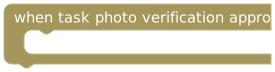
After task-photo approval, including calendar tasks and before/after photos. Approval can precede the task's minimum duration.
Event variables
The following values plus the common event variables.
| Event variable | Type | Description |
|---|---|---|
| task submission timestamp (Unix seconds) | integer | Original task-photo submission time in Unix seconds, or the recorded completion or failure time for the task’s outcome when no photo submission exists; 0 if no relevant timestamp is available. Photo submissions keep their original time even when reviewed later. |
| task run id | string | ID of this particular task assignment. Save it to match later completion or review events. |
| task id | string | ID of the task definition. Reassigning the same task can produce a different task run ID. |
| task status | string | Status reported for this assignment or quiz result. |
| task points | number | Task points supplied with this event; this is not the lock’s total task-point balance. |
| task title | string | Title or task text supplied with the assignment. |
| task description | string | Additional task instructions; empty when none are supplied. |
| photo verification approved? | boolean | Whether the task-photo review was approved. False does not by itself explain why it was rejected. |
| approval type (keyholder / community / auto / bot) | string | Review source, such as keyholder, community, auto, or bot, when supplied. |
| rejection reason | string | Reason supplied for rejection; empty when no rejection reason is supplied. |
| calendar event id | string | ID of the linked calendar entry. For task review, empty when the task is not linked to a calendar entry. |
| calendar occurrence date | string | Date identifying this calendar occurrence, including one occurrence of a recurring entry. Empty for tasks without a calendar link. |
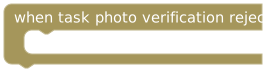
After task-photo rejection. Read rejection reason and task details.
Event variables
The following values plus the common event variables.
| Event variable | Type | Description |
|---|---|---|
| task submission timestamp (Unix seconds) | integer | Original task-photo submission time in Unix seconds, or the recorded completion or failure time for the task’s outcome when no photo submission exists; 0 if no relevant timestamp is available. Photo submissions keep their original time even when reviewed later. |
| task run id | string | ID of this particular task assignment. Save it to match later completion or review events. |
| task id | string | ID of the task definition. Reassigning the same task can produce a different task run ID. |
| task status | string | Status reported for this assignment or quiz result. |
| task points | number | Task points supplied with this event; this is not the lock’s total task-point balance. |
| task title | string | Title or task text supplied with the assignment. |
| task description | string | Additional task instructions; empty when none are supplied. |
| photo verification approved? | boolean | Whether the task-photo review was approved. False does not by itself explain why it was rejected. |
| approval type (keyholder / community / auto / bot) | string | Review source, such as keyholder, community, auto, or bot, when supplied. |
| rejection reason | string | Reason supplied for rejection; empty when no rejection reason is supplied. |
| calendar event id | string | ID of the linked calendar entry. For task review, empty when the task is not linked to a calendar entry. |
| calendar occurrence date | string | Date identifying this calendar occurrence, including one occurrence of a recurring entry. Empty for tasks without a calendar link. |
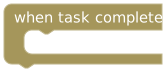
When the task completes. Use this for completion-only rewards.
Event variables
The following values plus the common event variables.
| Event variable | Type | Description |
|---|---|---|
| task submission timestamp (Unix seconds) | integer | Original task-photo submission time in Unix seconds, or the recorded completion or failure time for the task’s outcome when no photo submission exists; 0 if no relevant timestamp is available. Photo submissions keep their original time even when reviewed later. |
| task run id | string | ID of this particular task assignment. Save it to match later completion or review events. |
| task id | string | ID of the task definition. Reassigning the same task can produce a different task run ID. |
| task status | string | Status reported for this assignment or quiz result. |
| task points | number | Task points supplied with this event; this is not the lock’s total task-point balance. |
| task title | string | Title or task text supplied with the assignment. |
| task description | string | Additional task instructions; empty when none are supplied. |
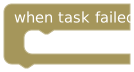
When the task fails. Filter by task run ID if tracking a particular assignment.
Event variables
The following values plus the common event variables.
| Event variable | Type | Description |
|---|---|---|
| task submission timestamp (Unix seconds) | integer | Original task-photo submission time in Unix seconds, or the recorded completion or failure time for the task’s outcome when no photo submission exists; 0 if no relevant timestamp is available. Photo submissions keep their original time even when reviewed later. |
| task run id | string | ID of this particular task assignment. Save it to match later completion or review events. |
| task id | string | ID of the task definition. Reassigning the same task can produce a different task run ID. |
| task status | string | Status reported for this assignment or quiz result. |
| task points | number | Task points supplied with this event; this is not the lock’s total task-point balance. |
| task title | string | Title or task text supplied with the assignment. |
| task description | string | Additional task instructions; empty when none are supplied. |
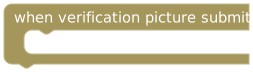
When a verification picture is submitted. Submission alone is not approval.
Event variables
The following values plus the common event variables.
| Event variable | Type | Description |
|---|---|---|
| verification code | string | Verification code supplied with the submission. |
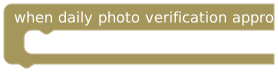
After keyholder, community, or automatic daily-photo approval. Excludes post-hygiene photos.
Event variables
The following values plus the common event variables.
| Event variable | Type | Description |
|---|---|---|
| verification id | string | ID of the daily-photo verification being reviewed. |
| verification date | string | Date associated with the daily verification, as date text. |
| verification code | string | Verification code supplied with the submission. |
| photo verification approved? | boolean | Whether the daily-photo verification was approved. |
| approval type (keyholder / community / auto) | string | Review source, such as keyholder, community, or auto, when supplied. |
| rejection reason | string | Reason supplied for rejection; empty when no rejection reason is supplied. |
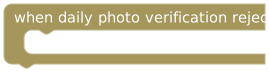
After keyholder or community rejection of a submitted daily photo. Missing photos and post-hygiene photos do not run this event.
Event variables
The following values plus the common event variables.
| Event variable | Type | Description |
|---|---|---|
| verification id | string | ID of the daily-photo verification being reviewed. |
| verification date | string | Date associated with the daily verification, as date text. |
| verification code | string | Verification code supplied with the submission. |
| photo verification approved? | boolean | Whether the daily-photo verification was approved. |
| approval type (keyholder / community / auto) | string | Review source, such as keyholder, community, or auto, when supplied. |
| rejection reason | string | Reason supplied for rejection; empty when no rejection reason is supplied. |
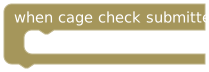
When the wearer submits a cage check.
Event variables
Uses the common event variables. No additional event-specific fields.
A task's task id identifies its definition; task run id identifies one assignment. Do not reward the same work in both photo-approved and task-completed stacks unless you intend two rewards. Use task submission timestamp (Unix seconds) when dating a calendar record to the submission.
Hygiene
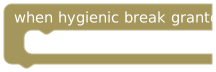
Permission is granted. The break itself has not started.
Event variables
The following values plus the common event variables.
| Event variable | Type | Description |
|---|---|---|
| allowed opening time (seconds) | integer | Allowed opening duration for the hygienic break, in seconds. |
| penalty time (seconds) | integer | Penalty duration reported for the break, in seconds; use actual delta to inspect the applied change. |
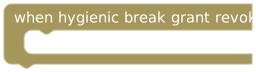
An unused grant is revoked. Accepting it or letting it expire does not run this event.
Event variables
The following values plus the common event variables.
| Event variable | Type | Description |
|---|---|---|
| allowed opening time (seconds) | integer | Allowed opening duration for the hygienic break, in seconds. |
| penalty time (seconds) | integer | Penalty duration reported for the break, in seconds; use actual delta to inspect the applied change. |
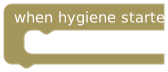
The hygienic opening starts.
Event variables
The following values plus the common event variables.
| Event variable | Type | Description |
|---|---|---|
| allowed opening time (seconds) | integer | Allowed opening duration for the hygienic break, in seconds. |
| penalty time (seconds) | integer | Penalty duration reported for the break, in seconds; use actual delta to inspect the applied change. |
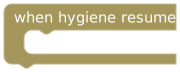
The lock resumes after the opening.
Event variables
The following values plus the common event variables.
| Event variable | Type | Description |
|---|---|---|
| allowed opening time (seconds) | integer | Allowed opening duration for the hygienic break, in seconds. |
| unused opening time (seconds) | integer | Unused part of the allowed opening window, in seconds. |
| unlocked time (seconds) | integer | Time spent unlocked during the break, in seconds. |
| penalty time (seconds) | integer | Penalty duration reported for the break, in seconds; use actual delta to inspect the applied change. |
| actual delta (seconds) | integer | Actual lock-time adjustment from the hygiene event, in seconds. |
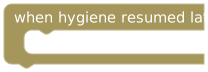
A late return is reported. Use the event's late minutes and actual delta to understand the result.
Event variables
The following values plus the common event variables.
| Event variable | Type | Description |
|---|---|---|
| allowed opening time (seconds) | integer | Allowed opening duration for the hygienic break, in seconds. |
| unused opening time (seconds) | integer | Unused part of the allowed opening window, in seconds. |
| unlocked time (seconds) | integer | Time spent unlocked during the break, in seconds. |
| penalty time (seconds) | integer | Penalty duration reported for the break, in seconds; use actual delta to inspect the applied change. |
| late minutes | number | How late the wearer returned, measured in minutes rather than seconds. |
| actual delta (seconds) | integer | Actual lock-time adjustment from the hygiene event, in seconds. |
Games, coach, and devices
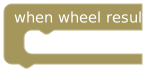
A normal Wheel of Fortune result arrives. This is separate from the PLE on spin wheel control.
Event variables
Only the following values are available in this event’s dropdown.
| Event variable | Type | Description |
|---|---|---|
| wheel option name | string | Label of the selected Wheel of Fortune option. |
| wheel result type | string | Type of outcome reported by the wheel. |
| wheel result message | string | Description or message supplied with the wheel result. |
| lock time changed (seconds) | integer | Applied lock-time adjustment from the wheel result, in seconds. |
| wheel option id | string | ID of the selected wheel option. |
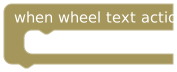
A wheel text-action event arrives. Use event text → wheel action text → equals to match an exact option label. The toolbox also includes a preconnected example of this filter.
Event variables
Only the following values are available in this event’s dropdown.
| Event variable | Type | Description |
|---|---|---|
| action text | string | Text of the selected wheel text action. Use it to match a particular option. |
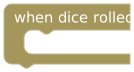
Saved dice results arrive. Read individual dice or player/bot lists.
Event variables
Only the following values are available in this event’s dropdown.
| Event variable | Type | Description |
|---|---|---|
| number of dice | integer | Total number of dice in the roll. |
| dice types | string | Text describing the dice types used in this roll. |
| player dice values (comma-separated) | string | Player roll values as comma-separated text. Use rolled dice for a Number list instead. |
| bot dice values (comma-separated) | string | Bot roll values as comma-separated text. Use rolled dice for a Number list instead. |
| number of d4 dice | integer | Number of d4 dice used in this roll. |
| number of d6 dice | integer | Number of d6 dice used in this roll. |
| number of d8 dice | integer | Number of d8 dice used in this roll. |
| number of d10 dice | integer | Number of d10 dice used in this roll. |
| number of d12 dice | integer | Number of d12 dice used in this roll. |
| number of d20 dice | integer | Number of d20 dice used in this roll. |
| bot dice result | number | Bot’s total dice score reported for this roll. |
| player dice result | number | Player’s total dice score reported for this roll. |
| lock time changed (seconds) | integer | Applied lock-time adjustment from the dice result, in seconds. |
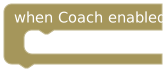
AI Coach or Bot Coach becomes enabled for the lock.
Event variables
The following values plus the common event variables.
| Event variable | Type | Description |
|---|---|---|
| Coach type | string | Identifies the coach whose enabled state changed. |
| Coach name | string | Display name of that coach. |
| Coach enabled? | boolean | Enabled state reported after the coach change. |
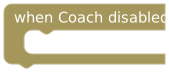
AI Coach or Bot Coach becomes disabled for the lock.
Event variables
The following values plus the common event variables.
| Event variable | Type | Description |
|---|---|---|
| Coach type | string | Identifies the coach whose enabled state changed. |
| Coach name | string | Display name of that coach. |
| Coach enabled? | boolean | Enabled state reported after the coach change. |
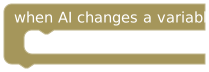
An AI Keyholder or Bot Coach changes an exposed variable. Ordinary set variable steps are not this trigger.
Event variables
The following values plus the common event variables.
| Event variable | Type | Description |
|---|---|---|
| variable name | string | Name of the workspace variable that the coach changed. |
| previous value | varies | Value before the coach’s change. Keeps the original value type, such as number, string, Boolean, or Number list; may be null when absent. |
| new value | varies | Value after the coach’s change. Keeps the changed variable’s value type; it is not always text. |
| changed by AI? | boolean | Whether the change was reported as coming from a coach. |
| change source | string | Source reported for the variable change; use it to distinguish which coach or integration made the change. |
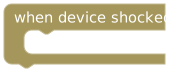
A shock command is successfully sent through the device path. This is not independent proof of physical delivery.
Event variables
The following values plus the common event variables.
| Event variable | Type | Description |
|---|---|---|
| shock success? | boolean | Whether the device command was reported as successfully sent. This is not independent confirmation of physical delivery. |
| shock strength (%) | integer | Reported shock intensity as a percentage. |
| shock duration (seconds) | integer | Reported shock duration in seconds. |
Quiz result triggers are in the Quiz category.
Geofence

Entry into any area, a zone, a corridor, or a selected area. Choose the area filter on the block.
Event variables
The following values plus the common event variables.
| Event variable | Type | Description |
|---|---|---|
| area id | string | ID of the area involved in this entry or exit. |
| area name | string | Display name of the area involved in this entry or exit. |
| area type | string | Area type reported by the event, such as a zone or corridor. |
| geofence event timestamp | integer | Time of the geofence event in Unix milliseconds. Divide by 1000 for seconds-based date/time inputs. |
| currently allowed? | boolean | Whether the reported location is in an allowed geofence area. |

Exit from the selected kind of area or specific area.
Event variables
The following values plus the common event variables.
| Event variable | Type | Description |
|---|---|---|
| area id | string | ID of the area involved in this entry or exit. |
| area name | string | Display name of the area involved in this entry or exit. |
| area type | string | Area type reported by the event, such as a zone or corridor. |
| geofence event timestamp | integer | Time of the geofence event in Unix milliseconds. Divide by 1000 for seconds-based date/time inputs. |
| currently allowed? | boolean | Whether the reported location is in an allowed geofence area. |
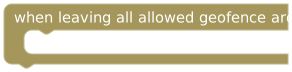
A transition from an allowed area into a disallowed area.
Event variables
The following values plus the common event variables.
| Event variable | Type | Description |
|---|---|---|
| geofence event timestamp | integer | Time of the geofence event in Unix milliseconds. Divide by 1000 for seconds-based date/time inputs. |
| currently allowed? | boolean | Whether the reported location is in an allowed geofence area. |
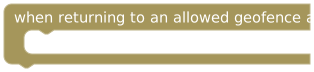
A transition from a disallowed area back into an allowed area.
Event variables
The following values plus the common event variables.
| Event variable | Type | Description |
|---|---|---|
| geofence event timestamp | integer | Time of the geofence event in Unix milliseconds. Divide by 1000 for seconds-based date/time inputs. |
| currently allowed? | boolean | Whether the reported location is in an allowed geofence area. |
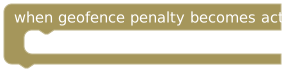
The first penalty is applied after the grace period, using a server-validated location report. Repeated reports and shock cooldowns do not repeat it.
Event variables
The following values plus the common event variables.
| Event variable | Type | Description |
|---|---|---|
| geofence event timestamp | integer | Time of the geofence event in Unix milliseconds. Divide by 1000 for seconds-based date/time inputs. |
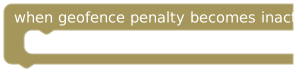
An active penalty episode clears, such as on safe return, suspension, inactive schedule, or disabled geofencing. Returning during the grace period does not run it; added lock time is not undone.
Event variables
The following values plus the common event variables.
| Event variable | Type | Description |
|---|---|---|
| geofence event timestamp | integer | Time of the geofence event in Unix milliseconds. Divide by 1000 for seconds-based date/time inputs. |
Device Control and Hardcore Mode
A timer-based self-control lock reaches zero.
Event variables
The following values plus the common event variables.
| Event variable | Type | Description |
|---|---|---|
| previous remaining (seconds) | integer | Remaining time at the previous timer check, in seconds. |
| current remaining (seconds) | integer | Remaining time at this timer or screen-time check, in seconds. |
| expiry timestamp | integer | Timer expiry as a Unix timestamp in milliseconds. Divide by 1000 for seconds-based date/time inputs. |
| self-lock mode | string | Mode of the parental-control self-lock reported with the timer event. |

Remaining time crosses from above to at-or-below the connected duration.
Event variables
The following values plus the common event variables.
| Event variable | Type | Description |
|---|---|---|
| configured threshold (seconds) | integer | Threshold used for this crossing check, in seconds. |
| previous remaining (seconds) | integer | Remaining time at the previous timer check, in seconds. |
| current remaining (seconds) | integer | Remaining time at this timer or screen-time check, in seconds. |
| self-lock mode | string | Mode of the parental-control self-lock reported with the timer event. |
Remaining daily screen-time allowance reaches zero.
Event variables
The following values plus the common event variables.
| Event variable | Type | Description |
|---|---|---|
| daily allowance (seconds) | integer | Daily screen-time allowance reported at the check, in seconds. |
| used screen time (seconds) | integer | Screen time already used, in seconds. |
| extra time (seconds) | integer | Additional screen time granted for the day, in seconds. |
| remaining screen time (seconds) | integer | Remaining time at this timer or screen-time check, in seconds. |
Remaining allowance crosses from above to at-or-below the connected duration.
Event variables
The following values plus the common event variables.
| Event variable | Type | Description |
|---|---|---|
| configured threshold (seconds) | integer | Threshold used for this crossing check, in seconds. |
| previous remaining (seconds) | integer | Remaining time at the previous timer check, in seconds. |
| current remaining (seconds) | integer | Remaining time at this timer or screen-time check, in seconds. |
| daily allowance (seconds) | integer | Daily screen-time allowance reported at the check, in seconds. |
| used screen time (seconds) | integer | Screen time already used, in seconds. |
| extra time (seconds) | integer | Additional screen time granted for the day, in seconds. |
A registered device reports an app block. Read app, package, reason, rule source, and device ID.
Event variables
The following values plus the common event variables.
| Event variable | Type | Description |
|---|---|---|
| app name | string | Display name of the blocked app. |
| package name | string | Package identifier of the blocked app; use this for a more specific match than its display name. |
| block reason | string | Reason the device reported for blocking the app or website. |
| rule source | string | Source of the restriction that caused the block. |
| parental-control device id | string | ID of the registered parental-control device that reported the block. |
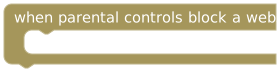
A registered device reports a website block. The exposed website value is a normalized domain.
Event variables
The following values plus the common event variables.
| Event variable | Type | Description |
|---|---|---|
| website domain | string | Normalized blocked domain. This is not the full URL, path, or page content. |
| block reason | string | Reason the device reported for blocking the app or website. |
| rule source | string | Source of the restriction that caused the block. |
| parental-control device id | string | ID of the registered parental-control device that reported the block. |
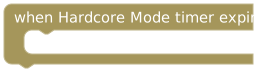
Timer-based Bot Coach Hardcore Mode reaches zero.
Event variables
The following values plus the common event variables.
| Event variable | Type | Description |
|---|---|---|
| previous remaining (seconds) | integer | Remaining time at the previous timer check, in seconds. |
| current remaining (seconds) | integer | Remaining time at this timer or screen-time check, in seconds. |
| expiry timestamp | integer | Timer expiry as a Unix timestamp in milliseconds. Divide by 1000 for seconds-based date/time inputs. |
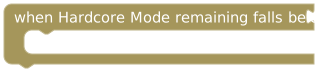
Remaining Hardcore Mode time crosses from above to at-or-below the connected duration.
Event variables
The following values plus the common event variables.
| Event variable | Type | Description |
|---|---|---|
| configured threshold (seconds) | integer | Threshold used for this crossing check, in seconds. |
| previous remaining (seconds) | integer | Remaining time at the previous timer check, in seconds. |
| current remaining (seconds) | integer | Remaining time at this timer or screen-time check, in seconds. |
Threshold events react to a crossing, not continuously while the value remains below the threshold.
Calendar events
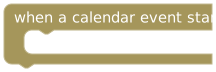
An occurrence starts, including recurring and all-day entries.
Event variables
The following values plus the common event variables.
| Event variable | Type | Description |
|---|---|---|
| calendar event title | string | Title of the calendar entry at the time of the event. |
| calendar event type | string | Name of the calendar entry’s category/type. |
| calendar event notes | string | Notes or instructions saved on the calendar entry. |
| calendar event id | string | ID of the linked calendar entry. For task review, empty when the task is not linked to a calendar entry. |
| occurrence date | string | Date identifying this calendar occurrence, including one occurrence of a recurring entry. Empty for tasks without a calendar link. |
| start date and time | string | Start date/time as text. Use start timestamp when a numeric date input is required. |
| start timestamp | integer | Start of this calendar occurrence in Unix seconds; suitable for seconds-based date/time inputs. |
| end date and time | string | End date/time as text. Use end timestamp when a numeric date input is required. |
| end timestamp | integer | End of this calendar occurrence in Unix seconds; suitable for seconds-based date/time inputs. |
| duration (seconds) | integer | Duration of this calendar occurrence, in seconds. |
| all-day event? | boolean | Whether this is an all-day calendar occurrence. |
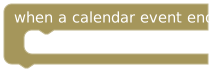
An occurrence reaches its end time, using updated end times after edits. Deleting an entry does not trigger it.
Event variables
The following values plus the common event variables.
| Event variable | Type | Description |
|---|---|---|
| calendar event title | string | Title of the calendar entry at the time of the event. |
| calendar event type | string | Name of the calendar entry’s category/type. |
| calendar event notes | string | Notes or instructions saved on the calendar entry. |
| calendar event id | string | ID of the linked calendar entry. For task review, empty when the task is not linked to a calendar entry. |
| occurrence date | string | Date identifying this calendar occurrence, including one occurrence of a recurring entry. Empty for tasks without a calendar link. |
| start date and time | string | Start date/time as text. Use start timestamp when a numeric date input is required. |
| start timestamp | integer | Start of this calendar occurrence in Unix seconds; suitable for seconds-based date/time inputs. |
| end date and time | string | End date/time as text. Use end timestamp when a numeric date input is required. |
| end timestamp | integer | End of this calendar occurrence in Unix seconds; suitable for seconds-based date/time inputs. |
| duration (seconds) | integer | Duration of this calendar occurrence, in seconds. |
| all-day event? | boolean | Whether this is an all-day calendar occurrence. |
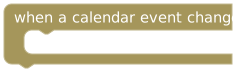
Title, notes, dates, times, timezone, recurrence, category, or color changes. Reminder and completion-progress changes do not trigger it.
Event variables
The following values plus the common event variables.
| Event variable | Type | Description |
|---|---|---|
| calendar event title | string | Title of the calendar entry at the time of the event. |
| calendar event type | string | Name of the calendar entry’s category/type. |
| calendar event notes | string | Notes or instructions saved on the calendar entry. |
| calendar event id | string | ID of the linked calendar entry. For task review, empty when the task is not linked to a calendar entry. |
| occurrence date | string | Date identifying this calendar occurrence, including one occurrence of a recurring entry. Empty for tasks without a calendar link. |
| start date and time | string | Start date/time as text. Use start timestamp when a numeric date input is required. |
| start timestamp | integer | Start of this calendar occurrence in Unix seconds; suitable for seconds-based date/time inputs. |
| end date and time | string | End date/time as text. Use end timestamp when a numeric date input is required. |
| end timestamp | integer | End of this calendar occurrence in Unix seconds; suitable for seconds-based date/time inputs. |
| duration (seconds) | integer | Duration of this calendar occurrence, in seconds. |
| all-day event? | boolean | Whether this is an all-day calendar occurrence. |
| changed fields | string | Text listing the fields changed by this edit. It is not a Blockly list. |
Filter calendar events by their ID or title when a stack is intended for just one entry.
Example: count completed tasks
Create an Integer variable completedTasks with starting value 0:
when task completed
  set completedTasks to completedTasks + 1
  print text in UI: create text with "Completed: " and completedTasks
For a persistent notification from an automatic event, use send notification; UI output is viewed through the program's interface. In draft testing, run this event twice and expect 1, then 2. Use Reset test state to restart the mock counter.