Loops
Loops repeat actions within the current run. They do not wait for real time to pass. For delayed work, use Custom Events or a schedule in Events.
Blocks
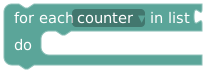
Supply a number list and a numeric loop variable. Runs in list order with the current item assigned to that variable. Captures the list when the loop starts; up to 100 items.
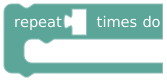
Supply a number. Uses a whole-number count from 0–100; larger values are capped at 100.
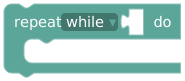
Checks the condition before each iteration. While runs when true; until runs when false. At most 100 iterations.
The run also has a total execution budget. A loop with many nested actions or function calls can hit that budget before reaching its own iteration limit. Hitting 100 iterations is not proof that an until-condition became true.
Example: a bounded counter
Create an Integer variable counter:
on GUI button "Count to three"
  set counter to 0
  repeat until counter >= 3
    set counter to counter + 1
    print text in UI: create text with "Count: " and counter
Expect Count: 1, Count: 2, Count: 3. The increment is what allows the condition to change. A loop that only checks the clock, task completion, or an external device will not wait for that event; use an event or schedule instead.
For Number list iteration, see the count-sixes recipe. Put consequential actions inside loops only when you intend each iteration to perform them again.