Logic
Conditions return true or false. Branch blocks use those values to decide which action stack runs. Value-selecting blocks instead return a value to another input.
Branches and outcomes

Runs the body only when its condition is true.
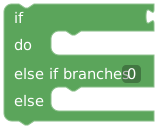
Runs the first matching branch. Add up to 50 else-if branches; later branches are skipped after a match. Else runs only if none match.
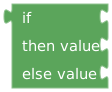
Returns one of two values. Only the chosen value is evaluated. Both must suit the receiving input, such as Color, Text, or Number.
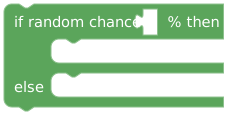
Makes a percentage-based choice between two action branches. Use 0 for never and 100 for always.
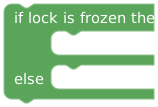
Chooses a branch from the lock's frozen state.

Picks one weighted branch at runtime. Supports 2–50 branches.
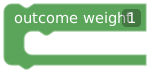
One branch inside Random outcome. Supply a positive weight and its actions. Chance is that weight divided by total weight.
Weights 1, 1, and 2 give chances of 25%, 25%, and 50%. These are relative weights; they do not need to total 100.
Conditions

Choose a text value from the enclosing event and compare with literal text. Equals/not-equals are case-sensitive; contains/not-contains/starts-with/ends-with ignore case.

Compare two values with =, !=, <, <=, >, or >=. Use compatible types, especially for numeric ordering.
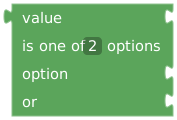
Tests equality against 2–12 connected options.

Case-insensitive substring check.

Combines two Booleans. AND requires both; OR at least one; XOR exactly one. NAND, NOR, and XNOR invert those results.

Inverts a Boolean.

Returns the frozen-state Boolean.

Returns a random Boolean for the percentage. Store the result in a variable if several later checks must share one decision.

A fixed Boolean. Useful for active/visible controls and enabling or disabling behavior.
Example: choose a message and color
Create a Boolean ready. Connect a value-selecting if to a button's title: if ready, return "Ready"; otherwise return "Waiting". Use a second value-selecting if for its color. Set the button's active input to ready.
For action branches, put the actions inside if … do … else. Putting them after the whole block runs them after either branch.